Google Gemini API integration is one of the fastest ways to build AI-powered applications using Google’s latest large language models. In this complete guide, you’ll learn how to get a API key, set up the official SDK, send your first request, and understand pricing, free access, and advanced features — using both JavaScript and Python.
If you’ve been searching for terms like google gemini api, gemini key api, Gemini API console, or Gemini API docs, this guide connects everything in one place — without confusion.
The Google Gemini API integration process is beginner-friendly, fast, and production-ready. With just a Gemini API key, the official SDK, and a few lines of code, you can deploy AI features in minutes.
Quick Integration Table (For Busy Developers)
| Step | Python | JavaScript | Notes |
|---|---|---|---|
| 1. Get API Key | Create key in Google AI Studio | Same | This is your Gemini API console |
| 2. Set Environment Variable | export GEMINI_API_KEY="your_key" | Same | Required for automatic SDK detection |
| 3. Install SDK | pip install google-genai | npm install @google/genai | Python 3.9+, Node 18+ |
| 4. Initialize Client | genai.Client() | new GoogleGenAI({}) | Auto-reads Gemini API key |
| 5. Send First Request | client.models.generate_content() | ai.models.generateContent() | Use gemini-2.5-flash |
| 6. Check Pricing | Inside dashboard | Inside dashboard | See Gemini AI Gemini API pricing |
| 7. Free Tier | Yes | Yes | Gemini API free tier available |
What is Google Gemini API?
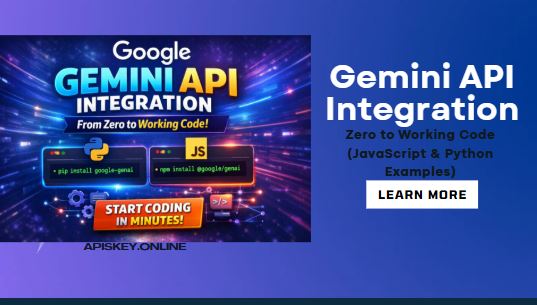
The Google Gemini API gives developers access to Gemini AI models for:
- Text generation
- Chat applications
- Code generation
- Multimodal input (text + images)
- Tool usage
- Streaming responses
Get Your Gemini API Key (Free)
To start using the Gemini API, you need a Gemini API key.
Where to Get It?
Go to Google AI Studio.
This acts as your Gemini API console, where you:
- Create a new API key
- Manage projects
- Monitor usage
- Explore models
Is Gemini API Free?
Yes — the Gemini API free tier allows limited usage without billing. For larger production usage, pricing applies (see Gemini AI Gemini API pricing inside the console dashboard).
Learn, Get Your Gemini API Key in 60 Seconds – The Only Step-by-Step Guide You Need
Set Your Environment Variable
After generating your gemini key api, set it like this:
macOS / Linux
export GEMINI_API_KEY="your_api_key_here"
Windows (PowerShell)
setx GEMINI_API_KEY "your_api_key_here"
This allows the SDK to automatically detect your key.
Gemini API Integration (Python)
Requirements
- Python 3.9+
- Install SDK:
pip install -q -U google-genai
First Working Python Example
from google import genai

client = genai.Client()  # Automatically reads GEMINI_API_KEY

response = client.models.generate_content(
    model="gemini-2.5-flash",
    contents="Explain how AI works in a few words"
)

print(response.text)
What This Does
- Connects to the Gemini API URL internally
- Sends a prompt
- Returns AI-generated text
You can switch models like:
gemini-2.5-flashgemini-3-flash-preview
These model names are listed in the official Gemini API docs inside the console.
Gemini API Integration (JavaScript)
Requirements
- Node.js v18+
- Install SDK:
npm install @google/genaiFirst Working JavaScript Example
import { GoogleGenAI } from "@google/genai";

const ai = new GoogleGenAI({}); // Uses GEMINI_API_KEY

async function main() {
  const response = await ai.models.generateContent({
    model: "gemini-2.5-flash",
    contents: "Explain how AI works in a few words",
  });

  console.log(response.text);
}

main();
Run It:
node index.js
This simple setup completes your Google Gemini API integration in under 10 minutes.
Understanding Gemini API URL
If you’re using raw HTTP requests instead of SDKs, the Gemini API URL follows Google’s API endpoint structure via REST.
However, I strongly recommend using official SDKs unless:
- You need custom request handling
- You’re building microservices
- You want full HTTP control
My Personal Experience Using Google Gemini API
When I first integrated the google gemini api, I expected complex setup like older Google APIs. But surprisingly:
- No OAuth needed for basic usage
- Free tier activation was instant
- SDK auto-detected the Gemini API key
- Response latency was fast with
gemini-2.5-flash
What impressed me most:
- Clean SDK structure
- Simple model switching
- Multimodal support without complex config
Compared to some other AI APIs, Gemini felt:
- Easier for beginners
- Cleaner documentation
- Faster for lightweight tasks
One important lesson:
If your key doesn’t work, check:
- Environment variable spelling
- Restart your terminal
- Ensure you’re inside the correct project
Most 401 errors come from misconfigured Gemini API key setup.
Advanced Features (Next Steps)
Once basic integration works, explore:
- 1. Multimodal Inputs
Send both text and images.
- 2. Chat Sessions
Maintain conversation state.
- 3. Streaming Responses
Get token-by-token output.
- 4. Disable Thinking for Speed
Some models allow configurations like:
thinking_budget=0
This improves response time for lightweight use cases.
AI Gemini API Pricing Overview
Inside the Gemini API console, you’ll find:
- Free tier usage limits
- Per-token billing
- Model-based pricing differences
Flash models are generally:
- Cheaper
- Faster
- Ideal for production chatbots
Preview models may:
- Cost more
- Provide higher reasoning capability
Always check the latest Gemini API docs for updated pricing. Here see, Gemini API Pricing – Free Tier Limits vs Paid (Hidden Costs Revealed)
Common Errors & Fixes
401 Unauthorized
- Invalid Gemini API key
- Key not set in environment
429 Rate Limit
- Free tier exceeded
- Too many rapid requests
Module Not Found
- SDK not installed properly
Who Should Use Google Gemini API?
- SaaS developers
- Automation builders
- AI startups
- Chatbot creators
- Productivity tool makers
If you’re building:
- AI assistants
- Content generators
- Smart dashboards
- Coding copilots
Then google gemini api is a strong option.
FAQs
What is the Google Gemini API?
The Google Gemini API is a developer interface that provides access to Gemini AI models for text generation, chat, code creation, and multimodal tasks. It allows applications to send prompts and receive AI-generated responses using an API key.
How do I get a Gemini API key?
You can generate a Gemini API key by signing in to Google AI Studio, creating a project, and generating an API key from the dashboard (Gemini API console). The key is then set as an environment variable for use in your app.
Is the Gemini API free?
Yes, the Gemini API free tier allows limited usage without billing. However, higher usage and advanced models are billed based on token consumption. You can review limits and rates inside the Gemini API pricing section of the console.
What is the Gemini API URL?
The Gemini API URL is Google’s REST endpoint used to send requests directly without the SDK. Most developers use the official SDKs (Python or JavaScript), which automatically handle endpoint routing and authentication.
Which model should I use for fast responses?
For fast and cost-efficient performance, most developers use gemini-2.5-flash. It offers lower latency and is ideal for chatbots, automation tools, and lightweight AI applications compared to heavier reasoning models.