The Claude API Console (also known as the Claude developer console or Anthropic dashboard) is the official platform by Anthropic where developers manage API access, billing, and usage for Claude AI models.
If you want to integrate Claude API into your application—whether for chatbots, automation, content generation, or AI workflows—this is your control center.
From a real integration perspective, the Claude API Console is built for fast onboarding + scalable deployment.
If you:
- Structure your API usage properly
- Secure your keys
- Optimize requests
You can build powerful AI-driven systems with minimal friction.
Claude API Console – Quick Reference Table (For Busy Developers)
| Task | Action | Key Path / Endpoint | Notes |
|---|---|---|---|
| Access Console | Login / Signup | console.anthropic.com | Use work email for team projects |
| Add Billing | Add credits | Settings → Billing | Minimum $5 required |
| Create API Key | Generate key | API Keys → Create Key | Copy immediately (one-time view) |
| API Key Format | पहचान | sk-ant-xxxx | Keep secure, never expose |
| Store Key | Use env variables | ANTHROPIC_API_KEY | Avoid hardcoding |
| API Endpoint | Send requests | /v1/messages | POST method |
| Required Headers | Auth setup | x-api-key, anthropic-version, content-type | Mandatory for all requests |
| Test API | Quick testing | Workbench / Postman | Workbench is fastest |
| Rate Limits | Avoid errors | Depends on usage | Handle 429 errors |
| Common Error | 401 Unauthorized | Invalid API key | Check key format & spaces |
| Best Practice | Key management | Separate keys per project | Helps tracking & security |
| SDK Usage | Python example | Anthropic(api_key="KEY") | Official SDK recommended |
Why Developers Use the Claude API Console?
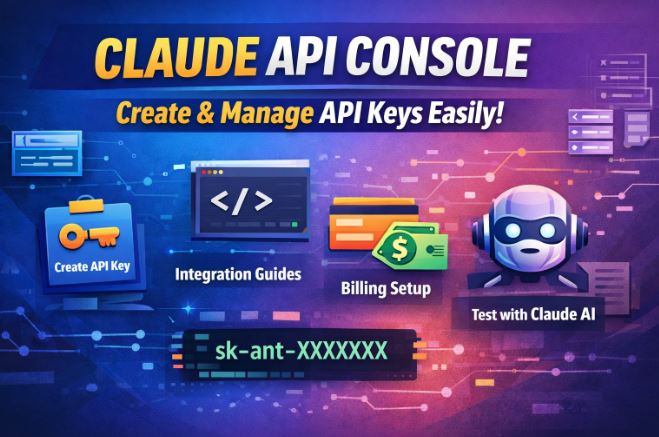
From real-world developer experience, the Claude console is designed for practical integration workflows, not just experimentation.
Key Benefits
- Centralized API key management
- Real-time usage tracking
- Easy billing control
- Built-in testing environment (Workbench)
- Access to latest Claude models
Common Use Cases
- AI chatbots (customer support, SaaS tools)
- Content generation pipelines
- Automation tools (emails, reports, summaries)
- AI-powered APIs for startups
Access the Claude Developer Console
Create or Log In to Your Account
- Go to: https://console.anthropic.com
- Sign up using:
- Google account
- Verify your account
Developer Insight
If you’re building production apps, use a company email + workspace setup instead of a personal account. This makes scaling and team access easier later.
Add Billing Credits (Mandatory)
Before creating or using an API key, you must add credits.
How to Add Credits
- Go to Settings → Billing
- Click Add Credits
- Minimum required: $5
- Choose payment method (card)
Important Notes
- Claude uses a pay-as-you-go model
- No usage = no charges
- Monitor usage to avoid unexpected costs
Developer Tip
Set a budget limit internally, especially if testing automation scripts that may loop requests.
Create a Claude API Key
This is the most critical step.
Steps to Generate API Key
- Navigate to API Keys (left sidebar)
- Click Create Key (or
+ Create Key) - Enter:
- Key name (e.g.,
blog-project,chatbot-v1) - Optional: Assign workspace
- Key name (e.g.,
- Click Create
- Copy the key immediately
Important:
You will NOT be able to see the key again
API Key Format
Claude API keys typically look like:
sk-ant-xxxxxxxxxxxxxxxxxxxx
Store API Key Securely
Never hardcode your API key in your code.
Use Environment Variables
Node.js
export ANTHROPIC_API_KEY="your-key"
Python
import os
api_key = os.getenv("ANTHROPIC_API_KEY")
Avoid These Mistakes
- ❌ Uploading keys to GitHub
- ❌ Sharing keys publicly
- ❌ Embedding keys in frontend code
Developer Insight
Rotate your API keys every 30–60 days if you’re running production systems.
Make Your First Claude API Request
Now comes the practical part.
API Endpoint
POST https://api.anthropic.com/v1/messages
Required Headers
{
  "x-api-key": "your-api-key",
  "anthropic-version": "2023-06-01",
  "content-type": "application/json"
}
Example: Python Integration
from anthropic import Anthropicclient = Anthropic(api_key="your-api-key")response = client.messages.create(
    model="claude-3-opus-20240229",
    max_tokens=100,
    messages=[
        {"role": "user", "content": "Explain API keys in simple terms"}
    ]
)print(response.content)
Example: cURL Request
curl https://api.anthropic.com/v1/messages \
  -H "x-api-key: your-api-key" \
  -H "anthropic-version: 2023-06-01" \
  -H "content-type: application/json" \
  -d '{
    "model": "claude-3-opus-20240229",
    "max_tokens": 100,
    "messages": [
      {"role": "user", "content": "Hello Claude"}
    ]
  }'
Testing with Workbench or Postman
Workbench (Recommended)
Claude console includes a built-in Workbench where you can:
- Test prompts
- Debug responses
- Optimize token usage
Postman Setup
- Create a POST request
- Add endpoint
- Add headers
- Add JSON body
- Send request
Understanding Claude API Roles & Dashboard
Inside the Claude API Console, you’ll find:
Roles
- Developer → Full API access
- Viewer → Read-only access
Dashboard Features
- API usage tracking
- Request logs
- Billing insights
- Model performance
Developer Insight
Use separate API keys per project for better tracking and debugging.
Common Errors & Fixes
1. 401 Unauthorized
Cause: Invalid API key
Fix: Double-check key, ensure no spaces
2. 429 Too Many Requests
Cause: Rate limit exceeded
Fix:
- Add delays
- Optimize requests
- Upgrade usage plan
3. Invalid Request Format
Cause: JSON structure incorrect
Fix: Validate request body
4. Missing Headers
Cause: Required headers not included
Fix: Ensure:
- x-api-key
- anthropic-version
- content-type
Best Use Cases for Claude API
From practical development experience, Claude performs best in:
1. Content Generation
- Blog writing
- SEO content
- Documentation
2. Automation Workflows
- Email generation
- Report summaries
- Data parsing
3. Chatbots
- Customer support
- AI assistants
- SaaS chat features
4. Developer Tools
- Code explanations
- API documentation generators
Claude API vs Other AI APIs
| Feature | Claude API | Others |
|---|---|---|
| Context handling | Excellent | Moderate |
| Safety | High | Varies |
| Long responses | Strong | Limited |
| Developer experience | Clean | Mixed |
What Most Tutorials Miss
Most guides only show how to create a key—but here’s what actually matters:
1. Token Optimization
- Keep prompts concise
- Reduce unnecessary tokens
- Save cost at scale
2. Prompt Structuring
- Use clear instructions
- Define output format
- Avoid vague queries
3. Error Handling Strategy
- Always implement retries
- Log failed requests
- Monitor API usage
4. Scaling Strategy
- Use multiple API keys for load balancing
- Queue requests for high traffic apps
FAQ
What is the Claude API Console used for?
It is used to manage API keys, billing, and integrate Claude AI models into applications.
Is Claude API free?
No, it uses a pay-as-you-go model, but requires a minimum $5 credit.
How do I create a Claude API key?
Go to the API keys section in the console, click “Create Key,” and copy it immediately.
Can I use Claude API without billing?
No, billing must be set up before making requests.
Where do I test Claude API?
You can test it using Workbench inside the console or tools like Postman.