Understanding the Gemini API URL structure is essential for building scalable AI applications using the Google Gemini API. Once you master the endpoint format and authentication process with your Gemini API key, integration becomes straightforward.
Gemini API URL and endpoint structure is one of the most important things developers must understand when integrating the Google Gemini API into applications. Whether you’re building AI chatbots, automation tools, embeddings pipelines, or multimodal apps, knowing how the Gemini API endpoints are structured will save you time and prevent authentication or routing errors.
Whether you’re experimenting with the Gemini API free tier, optimizing based on Gemini API pricing, or exploring advanced automation workflows, structuring your requests correctly ensures reliability and performance.
Gemini API URL Quick Reference Cheat Sheet (for busy developers)
| Task | Endpoint Pattern |
|---|---|
| Generate Content | /v1beta/models/{model}:generateContent |
| Stream Content | /v1beta/models/{model}:streamGenerateContent |
| Batch Generate | /v1beta/models/{model}:batchGenerateContent |
| Count Tokens | /v1beta/models/{model}:countTokens |
| Embed Content | /v1beta/models/{model}:embedContent |
| List Models | /v1beta/models |
| Upload Files | /upload/v1beta/files |
What Is the Google Gemini API?
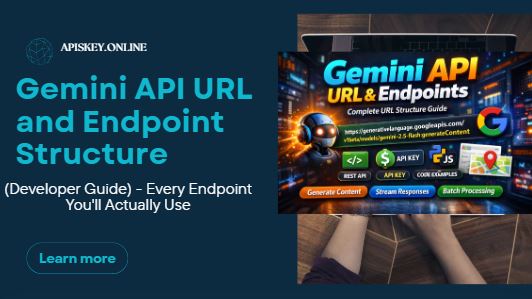
The Google Gemini API (officially part of Google’s Generative Language API) allows developers to access powerful multimodal AI models created by Google.
It supports:
- Text generation
- Multimodal prompts (text + images)
- Streaming responses
- Batch processing
- Embeddings for vector search
- Token counting
- File uploads
Gemini API Base URL Structure
All requests are sent to:
https://generativelanguage.googleapis.com
The full structure follows this pattern:
https://generativelanguage.googleapis.com/{api_version}/{resource}/{model}:{method}
Breakdown of Each Component
| Component | Meaning | Example |
|---|---|---|
{api_version} | API version | v1beta |
{resource} | Resource type | models |
{model} | Model name | gemini-2.5-flash |
{method} | Action | generateContent |
API Version
Currently most stable integrations use:
v1beta
Earlier implementations used v1, but v1beta is now standard in the latest Gemini API docs.
Model Examples
Common models:
gemini-2.5-flashgemini-1.5-progemini-1.5-flash
Each model determines:
- Speed
- Cost
- Context length
- Output quality
Choosing the right model directly impacts Gemini API pricing and performance.
Key Content Generation Endpoints
These gemini api refences are the endpoints developers actually use in production.
generateContent
Purpose: Single-response AI generation (text, multimodal)
Endpoint:
POST https://generativelanguage.googleapis.com/v1beta/models/gemini-2.5-flash:generateContent
Use this for:
- Chat-style apps
- AI writing tools
- Content automation
- AI assistants
streamGenerateContent
Purpose: Streaming responses via Server-Sent Events (SSE)
POST https://generativelanguage.googleapis.com/v1beta/models/gemini-2.5-flash:streamGenerateContent
Best for:
- Real-time chat interfaces
- Typing animation UX
- Interactive AI tools
Streaming improves UX significantly compared to waiting for a full response.
batchGenerateContent
Purpose: Asynchronous batch processing
POST https://generativelanguage.googleapis.com/v1beta/models/{model}:batchGenerateContent
Ideal for:
- Bulk AI tasks
- Content pipelines
- Large automation workflows
countTokens
Purpose: Check token usage before sending full prompt
POST https://generativelanguage.googleapis.com/v1beta/models/{model}:countTokens
This helps control:
- API cost
- Context window limits
- Prompt optimization
Very useful if you’re managing Gemini API free tier limits.
Embeddings Endpoints
If you’re building:
- Semantic search
- RAG systems
- AI knowledge bases
- Vector databases
These endpoints matter.
embedContent
POST https://generativelanguage.googleapis.com/v1beta/models/{model}:embedContent
Generates a single vector embedding.
batchEmbedContents
POST https://generativelanguage.googleapis.com/v1beta/models/{model}:batchEmbedContents
Generates embeddings in bulk.
Utility Endpoints
These support file management, batch operations, and model listing.
Files
| Method | Endpoint |
|---|---|
| Upload | /upload/v1beta/files |
| List | /v1beta/files |
| Get | /v1beta/files/{name} |
| Delete | /v1beta/files/{name} |
Useful for:
- Large document uploads
- Multimodal workflows
- Context files
Models
GET /v1beta/models
GET /v1beta/models/{name}
Use this to:
- Discover available models
- Verify supported capabilities
Accessible via the Gemini API console inside Google AI Studio.
Batches
POST /v1beta/batches
GET /v1beta/batches/{name}
POST /v1beta/batches/{name}:cancel
For large asynchronous AI jobs.
Authentication: Gemini API Key
All requests require authentication.
You must generate a Gemini API key from the Gemini API console (Google AI Studio).
Preferred Authentication Method
Use header authentication:
-H "x-goog-api-key: YOUR_GEMINI_API_KEY"
Although ?key=YOUR_API_KEY works as a query parameter, using the header is more secure.
You should need to know, Get Your Gemini API Key in 60 Seconds – The Only Step-by-Step Guide You Need
cURL Authentication Example
curl "https://generativelanguage.googleapis.com/v1beta/models/gemini-2.5-flash:generateContent" \
  -H "x-goog-api-key: $GEMINI_API_KEY" \
  -H "Content-Type: application/json" \
  -d '{
    "contents": [{
      "parts":[{"text": "Hello"}]
    }]
  }'
Response includes:
candidates- Generated text
- Safety ratings
- Metadata
Gemini API Pricing & Free Tier
Pricing depends on:
- Model used
- Token input/output
- Batch vs real-time calls
Google typically provides:
- Free testing quota
- Pay-as-you-go usage
- Higher-tier enterprise scaling
Always check the official Gemini API docs for the latest pricing updates.
Checkout, Gemini API Pricing – Free Tier Limits vs Paid (Hidden Costs Revealed)
Common Developer Mistakes
❌ Using Wrong API Version
Use v1beta unless documentation specifies otherwise.
❌ Missing x-goog-api-key Header
Results in 401 Unauthorized.
❌ Incorrect Model Name
Always confirm via:
GET /v1beta/models
❌ Using Query Key in Production
Headers are safer than URL query parameters.
Learn,Gemini API Docs Decoded – What Every Developer Must Know
FAQs
What is the Gemini API URL?
The base Gemini API URL is https://generativelanguage.googleapis.com. All requests follow the structure /v1beta/models/{model}:{method}. Developers use this endpoint format to interact with the Google Gemini API for content generation, embeddings, streaming, and batch processing.
How do I get a Gemini API key?
You can generate a Gemini API key from the Gemini API console inside Google AI Studio. After signing in, create a new API key and use it in the x-goog-api-key request header to authenticate your requests securely.
What is the difference between generateContent and streamGenerateContent?
generateContent returns a complete AI response in a single request, while streamGenerateContent delivers responses incrementally using Server-Sent Events (SSE). Streaming is ideal for chat applications and real-time interfaces built with the Google Gemini API.
Is the Gemini API free?
Yes, Google provides a Gemini API free tier with limited usage for testing and development. However, production applications require paid usage based on token consumption and model selection under Gemini API pricing plans.
Where can I find the official Gemini API docs?
The official Gemini API docs are available inside Google AI Studio and Google’s Generative Language documentation portal. The documentation includes endpoint references, authentication details, pricing information, and integration examples.
What models are available in the Google Gemini API?
The Google Gemini API supports models like gemini-2.5-flash, gemini-1.5-pro, and other specialized variants. Each model differs in speed, context length, pricing, and performance, so developers should choose based on their application needs.
How is authentication handled in the Gemini Google API?
Authentication in the Gemini Google API requires an API key passed via the x-goog-api-key header. Although query parameters can work, using headers is more secure and recommended for production environments.